
5 Ways AI Can Support Disaster Preparedness Planning
Most businesses know they need a recovery plan — few have one that's current, tested, and complete. AI won't write the plan for you, but it can end the blank-page problem and get a working draft moving.
AI can support disaster preparedness planning in five practical ways: drafting process documentation, building response checklists and playbooks, surfacing overlooked risks and gaps, translating technical reports into plain English, and keeping documentation current. AI is a fast starting point, not the finished plan — the strategy, testing, and judgment still belong to your leadership team and a trusted local IT partner.
Why do disaster recovery plans stall before they're finished?
Most businesses know they should have a disaster recovery plan. Far fewer have one that's current, tested, and complete. That's usually not a lack of initiative — it's the difficulty of getting the first version down.
People are almost always better at improving something than starting from scratch. Give a team a rough draft and they'll spot what's missing, what's unrealistic, and what needs to change. Leave them staring at an empty document, and the whole project is easy to push to next quarter.
That's exactly where AI fits into preparedness planning — not as a replacement for strategy, but as a tool that provides a useful starting point. And the numbers show how much that starting point is needed.
What are the 5 ways AI can support disaster preparedness planning?
In every case below, AI produces a draft — a starting point your leadership team reviews, corrects, and approves. It never delivers a finished, business-ready plan on its own.
1. Document your processes faster
One of the biggest obstacles to preparedness planning is getting everyday processes out of people's heads and into a format others can follow during an emergency — or when a key team member simply isn't available. AI can turn rough notes, call transcripts, or scattered bullet points into clear first drafts: how to restore access to a critical system, who to contact during an outage, and what steps to follow when a core tool goes down. The draft still needs review from the people who know the business, but a working draft is far easier to refine than a blank page.
2. Create checklists and response playbooks
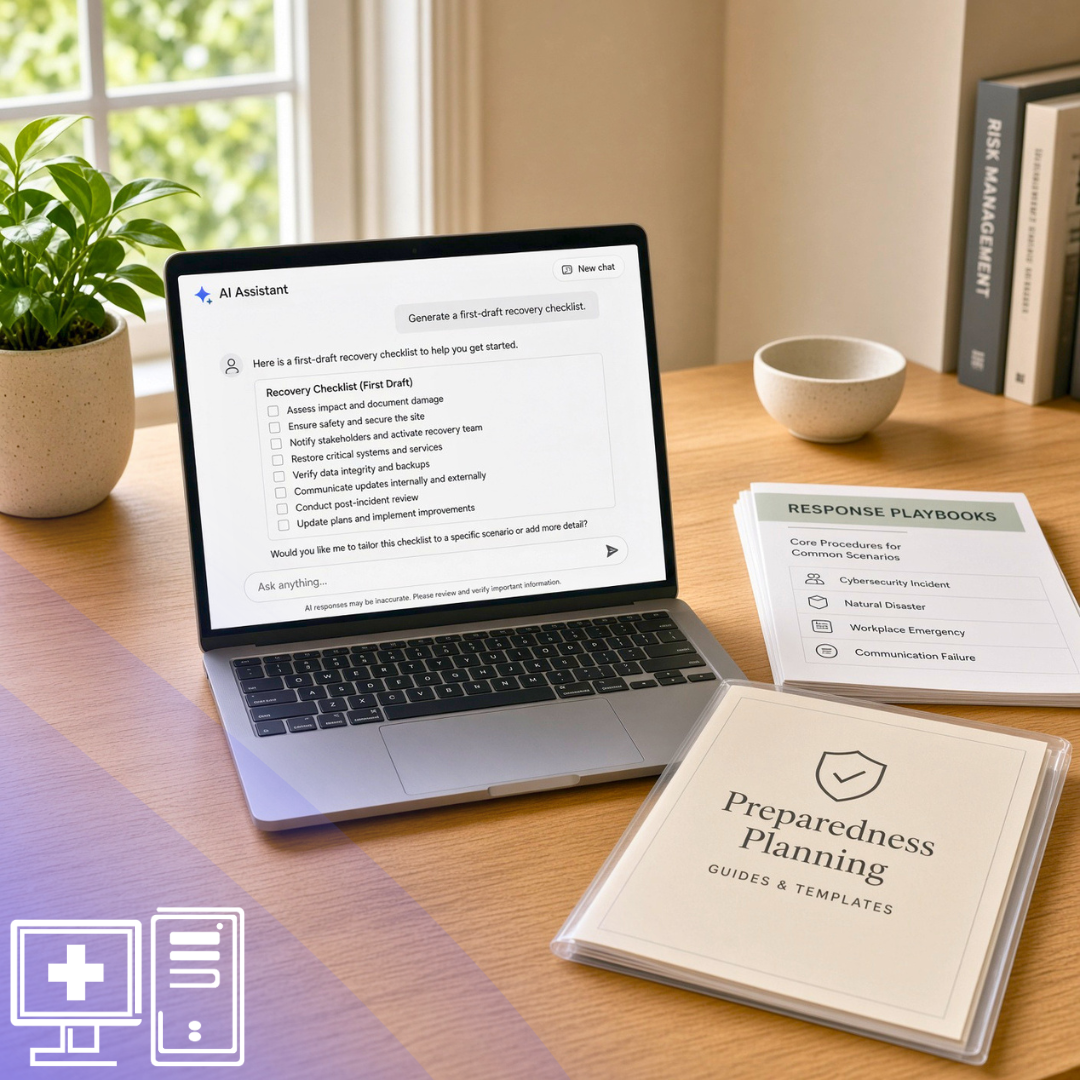
A good plan is easier to follow when it's broken into clear steps. AI can generate first drafts of checklists and response playbooks for situations like a data breach, a natural disaster, a ransomware attack, or an unexpected system outage — an outage communications checklist, an employee onboarding guide, a business continuity checklist, or a basic response outline for a system issue. It's a starting point, not a finished plan. AI doesn't know your customers, your risks, or your industry requirements unless you give it that context, so your leadership team still decides on the final version.
3. Identify gaps you didn't think to ask about
The hardest part of recovery planning is often knowing what questions to ask. AI can help surface them. Try prompting it with specifics: What happens if our internet is down for eight hours? What operational risks should a manufacturing company consider? What's typically missing from a small business continuity plan? AI won't know which risks matter most to your business without context, but it's genuinely useful for surfacing questions, dependencies, and weak spots your team should examine more closely.
4. Simplify technical information
Most technical documentation isn't written with business leaders in mind. Backup reports, security findings, and system notes can be completely accurate and still be hard to turn into a clear decision. AI can help translate that information into plain English — summarizing what a document says, explaining what it may mean for daily operations, and flagging the points your leadership team should raise with your IT provider. The goal isn't for every leader to understand every technical detail. It's for the right people to understand enough to decide what needs attention, what can wait, and what could become serious if it's ignored.
5. Keep documentation current
Policies and documentation go stale faster than people expect. Roles change, tools get replaced, vendors update their processes, and new risks emerge as the business evolves. AI can make review and refresh work easier — comparing old procedures against new notes, standardizing formatting across documents written at different times, or turning recent changes into updated drafts your team can review. Human ownership still matters: AI can streamline the maintenance, but only a person can decide what's accurate, what's approved, and what your team should actually follow.
What can AI and humans each do in disaster planning?
The distinction that matters most: AI drafts and translates; people and your IT partner validate and decide. Here's how those roles split across the core planning tasks.
| Planning task | Where AI helps | Where people & your IT partner are required |
|---|---|---|
| Documenting processes | Turns rough notes and transcripts into clear first drafts | Confirming accuracy and adding what only staff know |
| Building checklists | Generates response playbook outlines quickly | Tailoring to real risks, customers, and compliance rules |
| Finding gaps | Surfaces questions and dependencies to examine | Deciding which risks actually matter to your business |
| Testing backups & recovery | Not possible — AI cannot verify systems | Validating backups and RTO/RPO under real conditions |
| Coordinating an outage | Not possible — AI cannot act in real time | Leading staff and making judgment calls live |
How do you use AI to draft a recovery plan without creating risk?
Used carelessly, AI produces confident-sounding boilerplate. Used well, it saves hours. These steps keep it in the "helpful draft" lane.
What separates using AI well from using it badly?
The closer AI output gets to real business impact, the more the difference matters. It comes down to whether you treat AI as the plan or as a draft.
Treating AI as the plan
- Copy, paste, donePublishing AI output as the official plan with no review.
- Generic promptsAsking for a plan with no business context and accepting boilerplate.
- Set and forgetNever revisiting or testing what AI produced.
- Sensitive data in promptsPasting credentials or client records into a public tool.
Treating AI as a draft
- Draft, then refineUsing output as a starting point your team improves.
- Context-rich promptsFeeding real systems, risks, and dependencies.
- Human sign-offA named owner approves the final version.
- Validated by testingBackups and timelines confirmed with your IT partner.
Where does AI stop in disaster recovery planning?
Everything above depends on using AI the right way — as a draft, a guide, a way to move the process forward. There are things AI simply can't do, no matter how good the prompt.
That part takes leadership, tested processes, and an IT partner who can validate that the plan holds up. A recovery plan can look complete on paper and still fall short when it matters most — the difference is usually the experience and expertise behind it.
What does this mean for RI, MA & CT businesses?
AI can help you build the first draft. From our seat in North Smithfield, we help make sure the plan is ready for the real world southern New England businesses actually operate in.
Regional risk realities
Nor'easters, winter storms, flooding, and grid outages are New England facts of life. Your plan should reflect the threats you actually face, not a generic template.
Compliance context
Rhode Island's Identity Theft Protection Act and Massachusetts 201 CMR 17.00 (WISP) expect documented safeguards. AI can draft, but your plan has to meet the real standard.
A partner who tests
We validate backups and recovery timelines on your actual systems, so the plan holds up when a storm or outage hits — not just on paper.
Onsite when it counts
Our local, never-outsourced team can be on-site across RI, MA, and CT — included in your plan at no extra charge.
AI & disaster preparedness: frequently asked questions
No. AI can draft documentation, checklists, and playbooks quickly, but it produces a starting point, not a finished plan. It doesn't know your systems, risks, or industry requirements unless you provide them, and it can't test whether your plan actually works. Human review, testing, and ownership remain essential.
The five most practical uses are documenting processes faster, creating checklists and response playbooks, identifying gaps and overlooked risks, simplifying technical information into plain English, and keeping documentation current. In every case, AI drafts and your leadership team reviews and approves the final version.
Be cautious. Never paste passwords, client records, or confidential data into public AI tools. Provide enough context to get a useful draft — your industry, general systems, and dependencies — but keep sensitive details out. When in doubt, ask your IT provider how to use AI safely within your environment.
AI can't test your backups, confirm your recovery timeline is realistic, coordinate staff during an active outage, or replace the judgment that comes from experience. Those steps require tested processes, leadership, and an IT partner who can validate that the plan works in practice, not just on paper.
Review it at least annually and after any major change — new tools, staff turnover, vendor changes, or new risks. AI can speed up reviews by comparing old procedures against current notes and standardizing formats, but a person should always confirm what's accurate and approved.
Yes. A 2026 U.S. Chamber of Commerce Foundation and Verizon survey found most small businesses believe they'd recover from a disaster, but only about a third have an actual plan. New England businesses also face storms, flooding, and outages, plus state data-protection rules that expect documented safeguards.
The only reliable way is testing. A plan can look complete on paper and still fail when systems are down. Working with a local IT partner who tests your backups and recovery timelines on your real environment is what turns a document into a plan you can trust.
AI builds the draft. We help make it real.
AI can help you think through the plan, organize the work, and surface questions your team hadn't considered. Knowing where your business actually stands takes a different kind of conversation. If you're curious how AI and proactive disaster recovery planning fit together, a short discovery call is an easy first step — we'll look at where your preparedness stands today and what it would take to strengthen it.
Schedule a discovery call